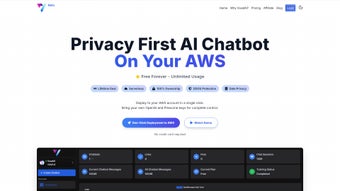

Download Voxal – AI Chatbot for Sales, Support & Lead Generation
Overview of Voxal AI
Voxal AI is a cloud‑based, subscription‑driven chatbot platform that brings the power of OpenAI’s GPT‑3 and GPT‑4 models to businesses of any size. Built with a clear focus on e‑commerce, SaaS, and service‑oriented websites, Voxal acts as a virtual sales assistant that can showcase products, answer customer inquiries, and capture leads around the clock without the need for a human operator. What truly distinguishes Voxal from other AI chat solutions is its no‑code chatbot builder: marketers, product managers, and even small‑business owners can spin up sophisticated conversational agents in minutes using a drag‑and‑drop interface.
The platform also supports more than 80 languages and offers real‑time translation, ensuring that global audiences receive culturally relevant responses that boost engagement and reduce friction. Security and compliance are baked into every layer of the service. Voxal employs end‑to‑end encryption, GDPR‑compliant data handling, and regular third‑party security audits, giving enterprises confidence that both their data and their customers’ privacy are protected.
Continuous updates keep the underlying language models and security patches current, so users always benefit from the latest AI advancements without manual intervention. Integrated analytics dashboards provide deep insight into conversation flow, sentiment, and conversion metrics, allowing teams to make data‑driven decisions and fine‑tune their bots for maximum ROI. Whether you aim to increase sales, streamline support tickets, or simply provide a more engaging website experience, Voxal AI delivers a secure, scalable, and constantly evolving chatbot ecosystem that can be launched in minutes and refined over time.
Key Features that Power Your Business
Voxal’s feature set is designed to address the full lifecycle of a conversational AI project—from rapid prototyping to enterprise‑grade monitoring. The platform combines cutting‑edge language models with practical tools that let you customize tone, test variations, and integrate seamlessly with the software you already use. Below is a comprehensive list of the capabilities that make Voxal a compelling choice for modern businesses.
- GPT‑4 & GPT‑3 Engine Options: Choose the model that balances cost and performance for your specific use‑case.
- No‑Code Bot Builder: Drag‑and‑drop interface lets you design conversational flows without writing a line of code.
- Multi‑Platform Integration: Native plugins for Shopify, WordPress, and generic SaaS sites, plus API access for custom integrations.
- 80+ Language Support & Instant Translation: Reach global audiences with automatic language detection and real‑time translation.
- A/B Testing Suite: Run split tests on prompts, tones, and response strategies to identify the highest‑converting configuration.
- Advanced Analytics Dashboard: Track engagement, drop‑off points, lead capture rates, and sentiment analysis in real time.
- Lead Generation Tools: Built‑in forms, email capture, and CRM connectors streamline the handoff from chat to sales pipeline.
- 24/7 Customer Support: Live chat, ticketing, and a knowledge base ensure you’re never stuck.
- Secure Data Handling: End‑to‑end encryption, GDPR compliance, and regular security audits protect both your business and your customers.
- Scalable Subscription Plans: Tiered pricing lets startups start small and enterprises scale up without re‑architecting.
Each feature is built with usability in mind. For example, the A/B testing suite integrates directly with the analytics dashboard, allowing you to view performance metrics side‑by‑side with test variations. The no‑code builder includes pre‑made templates for common scenarios—such as product finders, appointment schedulers, and FAQ bots—so you can get up and running with minimal effort. Meanwhile, the robust API gives developers the flexibility to embed Voxal’s capabilities into mobile apps, custom CRMs, or proprietary workflows, ensuring that the platform can grow alongside your business.
Installation, Setup & System Compatibility
Getting started with Voxal AI is intentionally straightforward. Because the platform is entirely web‑based, there is no traditional “download” required for the core engine; you simply sign up at voxal.ai and gain immediate access to the dashboard. For website integration, Voxal provides three primary pathways that cover the needs of non‑technical marketers and seasoned developers alike.
- One‑Click Plugins: Install the official Voxal plugin for Shopify or WordPress via the respective app stores. Once activated, you’ll be prompted to paste an API key generated in your Voxal dashboard. The plugin automatically injects the chatbot widget into your site’s footer, and you can customize placement, color scheme, and greeting text from the admin panel.
- Embedded Script: For custom SaaS platforms or static sites, copy the JavaScript snippet from the “Installation” tab and embed it before the closing
tag. The script loads the chatbot asynchronously, ensuring no impact on page‑load speed. - Full API Integration: Developers can call Voxal’s RESTful endpoints to create, update, and manage bots programmatically. This method is ideal for mobile apps (Android, iOS) or complex enterprise workflows that require deep customization.
Because Voxal runs in the cloud, it is OS‑agnostic for end‑users. The admin console works on any modern browser (Chrome, Edge, Firefox, Safari) on Windows 10/11, macOS Monterey and later, as well as Linux distributions. Mobile administrators can manage bots from Android 8.0+ or iOS 13+ using the responsive web interface. End‑users interacting with the chatbot experience a fully responsive UI that adapts to desktop, tablet, or smartphone screens.
After installation, the onboarding wizard guides you through the following steps to ensure a smooth launch:
- Define Business Objectives: Choose whether the bot focuses on sales, support, or lead capture.
- Select a Template: Start from industry‑specific templates (e.g., “E‑commerce Product Finder” or “Healthcare Appointment Scheduler”).
- Customize Conversational Flow: Use the visual flowchart editor to add branches, conditional logic, and fallback responses.
- Connect Integrations: Link your CRM (HubSpot, Salesforce), email marketing (Mailchimp), or payment gateway (Stripe) for seamless handoffs.
- Test & Deploy: Preview the bot in a sandbox environment, run A/B tests, and then publish live with a single click.
The entire process from sign‑up to live deployment can be completed in under an hour, making Voxal an attractive option for teams that need rapid time‑to‑value without sacrificing depth or customizability. Ongoing updates are handled automatically, and the platform notifies you of new features or security patches through an in‑app newsfeed, so you always stay current.
Pros & Cons – An Objective Evaluation
To help you decide whether Voxal AI aligns with your strategic goals, we’ve distilled the platform’s strengths and potential drawbacks into concise lists. This evaluation considers factors such as ease of use, scalability, cost, performance, and support. While no solution is perfect, understanding both sides will enable you to make an informed purchasing decision.
Pros
- Intuitive no‑code builder lets non‑technical users create advanced chatbots quickly.
- Access to both GPT‑3 and GPT‑4 models provides flexibility in cost vs. performance.
- Extensive language support and instant translation enable truly global outreach.
- Built‑in A/B testing and analytics give marketers data‑driven optimization tools.
- Seamless integrations with major e‑commerce platforms and popular CRMs.
- Robust security measures and GDPR compliance protect user data.
- Scalable subscription plans accommodate startups to enterprises.
- 24/7 customer support and comprehensive knowledge base reduce downtime.
Cons
- Subscription pricing may be a barrier for very small startups with limited budgets.
- Advanced customizations (beyond the visual editor) still require API knowledge.
- Real‑time translation can add slight latency on slower connections.
- Feature‑rich interface may present a learning curve for first‑time AI users.
- Limited offline capabilities; an internet connection is required for all interactions.
Overall, the advantages of Voxal AI—especially its ease of deployment, multilingual capabilities, and powerful analytics—outweigh the few limitations listed above for most mid‑size to large businesses. If budget constraints are a primary concern, the free 14‑day trial offers a risk‑free way to gauge ROI before committing to a paid plan.
FAQ & Final Verdict – Your Remaining Questions Answered
Below are the most common questions potential users ask about Voxal AI. Each answer is crafted to give you a clear picture of how the platform works, what you can expect in terms of cost, and how it fits into your existing tech stack. After the FAQ, we’ll provide a concise final verdict and a call‑to‑action to help you take the next step.
Can I use Voxal AI on a non‑e‑commerce website?
Absolutely. Voxal offers a generic embed script and a full API, allowing you to add the chatbot to any website, SaaS product, or mobile app regardless of industry.
How does the pricing model work?
Voxal uses tiered monthly subscriptions based on the number of active chats, AI model selection, and additional features like premium analytics. A free trial is available for 14 days, and discounts are offered for annual commitments.
Is there a limit to the number of languages supported?
Voxal currently supports over 80 languages, and new languages are added regularly as part of platform updates.
Do I need any technical knowledge to set up the bot?
No. The visual flow editor and pre‑built templates are designed for marketers and business owners. Only advanced custom integrations require API familiarity.
How secure is the data processed by Voxal?
Voxal employs end‑to‑end encryption, adheres to GDPR, and undergoes regular third‑party security audits to ensure data privacy and compliance.
Final Verdict & Call to Action
Voxal AI delivers a compelling blend of cutting‑edge language models, user‑friendly design, and enterprise‑grade analytics. For businesses that need a scalable, multilingual chatbot without hiring a development team, Voxal offers a secure, constantly updated solution that can be launched in minutes and refined over time. While the subscription cost may be a consideration for micro‑businesses, the ROI generated through higher conversion rates and reduced support workload often justifies the expense. If you’re ready to transform website visitors into qualified leads and provide 24/7 assistance, the best next step is to start the free 14‑day trial and experience the platform first‑hand.
Start Your Free Trial of Voxal AI Today and see how intelligent chat can accelerate sales, improve support, and grow your brand globally.



.png)



